Specks app icon

Specks

Idle Tiny Worlds

Every world begins as a speck.

Specks is a cozy idle clicker set in a galaxy of twelve tiny 3D planets. Tap to pour energy into a barren speck, seed its first proto-cells and grow a living world, from algae blooms and glowing forests to villages and towering apex life.

Coming soon to theApp StoreiPhone & iPad
Hear when it landsGet notifiedCrazy Core news
Genre
Cozy idle clicker
Worlds
12 tiny 3D planets
Lifeforms
84 to discover
Price
Free to try, no ads
Platforms
iPhone & iPad, coming soon

How a world grows

Tap, seed, mutate and evolve. Here's the loop that turns a barren speck into a living galaxy.

  1. Tap the speck

    Every tap pours Flux into a barren world. Hit the resonance node for critical bursts and chain them together.

  2. Seed life

    Spend Flux on seven tiers of life, from microbes to apex beings. Each tier doubles its output at milestone levels.

  3. Mutate and evolve

    Pick mutations, splice your Genome with Genes, complete missions, collect relics and unleash Flare, Hyper and Warp.

  4. Seed the next world

    When a world reaches Biosphere 10, the next speck in the chain is ready. Every planet you unlock keeps producing.

  5. Take on the Trials

    Every world holds its own Trial, a skill challenge that grows deeper and trickier as you master it.

  6. Make a Big Bang

    When your galaxy is thriving, collapse it into Stardust and begin a stronger universe with permanent cosmic perks.

Twelve worlds, twelve ways to play

Each speck has its own look, its own galaxy-wide trait and its own signature system. The first three are free.

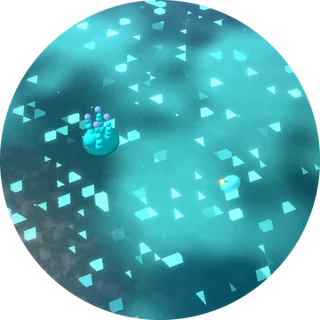
  1. Aether, seen in the game

    SPK-01Free

    Aether

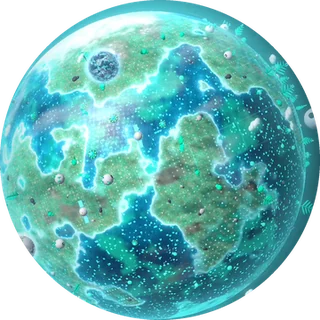
    Ocean cradle

    Tides Blue oceans and ice caps. Call Moon Pull to hold high tide and flood your ocean life with energy.

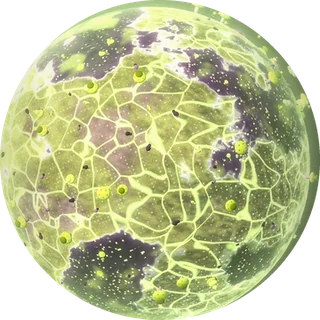
  2. Matrix, seen in the game

    SPK-02Free

    Matrix

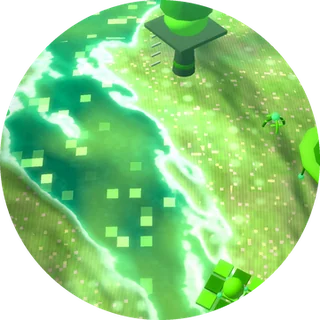
    Data jungle

    Overclock A dense green grid. Tap to build heat, push it to the edge, then vent before the core crashes.

  3. Synth, seen in the game

    SPK-03Free

    Synth

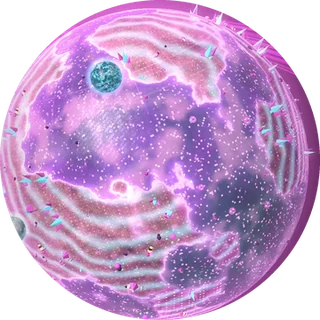
    Crystal dunes

    Harmonics Striped magenta dunes under a ring. Follow the drifting note with a dial and write chords.

  4. Nexus, seen in the game

    SPK-04

    Nexus

    Machine world

    Assembly Line Terraced plates and circuit traces. Keep every tier in step to run the line at full speed.

  5. Cryo, seen in the game

    SPK-05

    Cryo

    Frozen archive

    Cryo Vault An ice world with great polar caps. Freeze Flux in the vault and let it grow, even while you’re away.

  6. Ember, seen in the game

    SPK-06

    Ember

    Volcanic forge

    Eruption Glowing lava seas and black rock. Build pressure and erupt inside the golden zone for a perfect blast.

  7. Solaris, seen in the game

    SPK-07

    Solaris

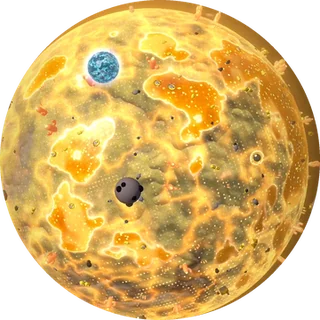
    Golden desert

    Excavation Sand ripples and rare oases. Every tap digs deeper for caches, fossils, artifacts and lost tombs.

  8. Abyss, seen in the game

    SPK-08

    Abyss

    Lightless ocean

    Lantern Fishing Dark water and glowing life. Cast, wait for the bite and reel in lanternfish, glass eels and rarer things.

  9. Mycel, seen in the game

    SPK-09

    Mycel

    Fungal web

    Spore Network Dark land with glowing green veins. Spend spores to spread across a hex map of colonies.

  10. Tempest, seen in the game

    SPK-10

    Tempest

    Storm titan

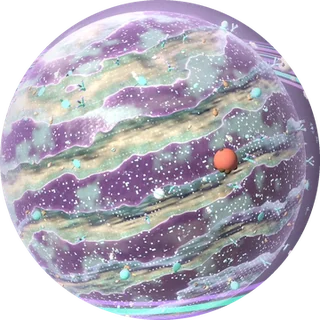
    Weather Fronts A banded gas giant. The weather turns every minute or so, and storm charges let you steer it.

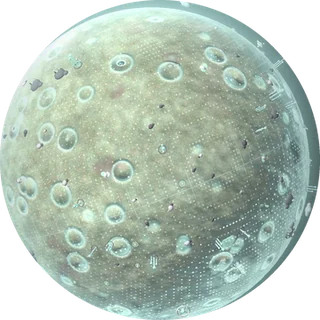
  11. Hollow, seen in the game

    SPK-11

    Hollow

    Cratered moon

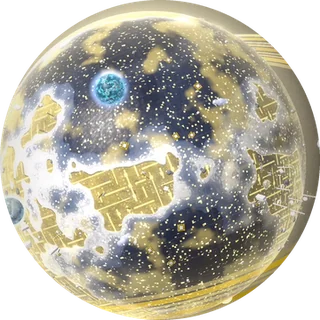
    Crater Gardens Glowing-rim craters. Plant life from any world, then catch the meteor shower for a huge boost.

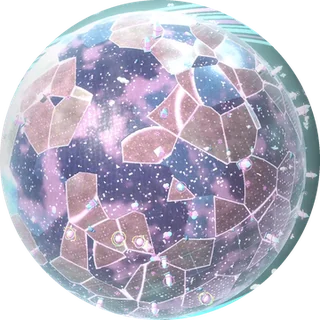
  12. Prism, seen in the game

    SPK-12

    Prism

    Shattered crystal

    Shard Forge Faceted plates and rings. Shards fall into the forge, and matching pairs merge into stronger ones.

Real captures from the game. Tap a screenshot to see it full size.

Made to be enjoyed

A soft, holographic little universe that's just as nice to watch as it is to tap.

  • Observe mode

    Hide the interface, zoom in and simply watch your worlds turn. Swipe between planets without leaving it.

  • Grows while you're away

    Your worlds keep producing when the game is closed. Bank Flux in Cryo's vault for even more.

  • The Big Bang

    Trade your galaxy for Stardust. Each one gives all life +10%, forever.

  • iCloud and Game Center

    Your save syncs between your devices through iCloud, and Game Center signs you in.

  • Original music and sound

    Three ambient soundtracks, the soft and crunchy Deep Core sound set, and haptics throughout.

  • No ads, no tracking

    No ads, no analytics and no subscriptions. Specks collects no data at all.

Free to try, one purchase for the galaxy

Specks is coming soon to the App Store for iPhone and iPad.

Free to try

3 worlds

Start growing for free.Aether, Matrix and Synth are free to play, with every system, Trial and lifeform on those worlds.
  • Aether
  • Matrix
  • Synth

Full Game

Coming soon

One purchase, the whole galaxy.Unlocks the other nine worlds and the Big Bang, on every device signed in to your Apple Account. No ads, no subscriptions.

Requires
iOS 17 or iPadOS 17 or newer
Devices
iPhone and iPad, portrait, full screen
Extras
iCloud saves, Game Center, haptics, Family Sharing
Age rating
4+
Privacy
No data collected

Support and questions

Need help with Specks, a purchase or your save? Email contact@crazy-core.com and we'll reply as soon as we can.

When does Specks come out?

Specks is coming soon to the App Store for iPhone and iPad. Join the Crazy Core newsletter or follow us on YouTube to hear the moment it launches.

Is Specks free?

Specks is free to try. The first three specks, Aether, Matrix and Synth, are free to play. One purchase of the Full Game unlocks the other nine worlds and the Big Bang.

Are there ads or subscriptions?

No. Specks has no ads, no tracking and no subscriptions. The Full Game is a single one-time purchase.

I bought the Full Game on another device. How do I unlock it here?

Open SYSTEM (the gear icon) and tap Restore Purchases, signed in with the same Apple Account. Family Sharing is supported too.

How do I keep my progress on a new iPhone?

Turn on iCloud for Specks in your device’s settings. Your save syncs through your own iCloud account, and the copy with the most progress is kept.

Does it work on iPad?

Yes. Specks runs on iPhone and iPad with iOS or iPadOS 17 or newer, in portrait, full screen.

Do my worlds grow while I’m away?

Yes. Your worlds keep producing while the game is closed, and you collect it all when you come back.

I’m not feeling any vibrations.

Check that Haptics is on in SYSTEM, and that your device supports haptics.

Can I get a refund?

Purchases are handled by Apple. You can request a refund at reportaproblem.apple.com.

Last updated: November 17, 2026

Specks Privacy Policy

Specks is made by Crazy Core. This policy explains what happens to information when you play Specks. In short: we do not collect, sell or share your personal data, and the game has no ads, no analytics and no tracking.

What stays on your device

Your game progress and settings are saved on your device so you can carry on where you left off.

iCloud

If iCloud is turned on for Specks, your save is also stored in your own iCloud account through Apple's iCloud service, so it can sync between your devices. This copy is held by Apple under your Apple Account. Crazy Core cannot see or access it. You can turn this off for Specks in your device's iCloud settings, and you can remove it there at any time.

Game Center

If you are signed in to Game Center, Apple signs you in to Specks automatically. Game Center is run by Apple under Apple's privacy policy. Specks only uses it to recognise that you are signed in; we do not collect or store your Game Center details.

Purchases

The Full Game is bought through Apple's App Store. Apple handles the payment; we never receive your payment details. The game only learns whether the Full Game is owned, so it can unlock it on your devices.

What we do not do

We do not run ads or include any advertising or analytics SDK. We do not track you across apps or websites. We do not collect your name, email, contacts, location or device identifiers. Specks does not knowingly collect any information from children.

Changes

If this policy changes, the new version will appear here and in the game with a new date.

Contact

Questions about privacy can be sent to Crazy Core at contact@crazy-core.com.

Last updated: November 17, 2026

Specks Terms of Use

These terms apply when you download or play Specks, made by Crazy Core. By playing, you agree to them. They sit alongside Apple's Licensed Application End User License Agreement (EULA), which also applies.

Your licence

Crazy Core gives you a personal, non-exclusive, non-transferable licence to play Specks on Apple devices you own or control, as allowed by the App Store's usage rules. Specks, its art, sound, music and code belong to Crazy Core.

Free and Full Game

The first three specks are free to play. The Full Game is a one-time purchase that unlocks the other nine specks and the Big Bang. Purchases are handled by Apple and follow the App Store's terms, including any refunds, which are handled by Apple. You can restore the Full Game on your other devices with Restore Purchases.

In-game items

Flux, Genes, Stardust, relics and other in-game items have no real-world value and cannot be exchanged for money. Progress and balance may change in updates.

Fair play

Please don't reverse engineer, modify or redistribute the game, or use it in a way that breaks the law.

Saves and services

Saves are kept on your device and, if you allow it, in your iCloud account. iCloud and Game Center are provided by Apple. We do our best to keep your progress safe, but we can't guarantee that saves will never be lost.

No warranty

Specks is provided "as is". To the extent the law allows, Crazy Core is not liable for indirect or incidental losses from using the game. Nothing here limits rights you have under the law of where you live.

Changes

These terms may be updated; the latest version is always here and in the game. Continuing to play after an update means you accept it.

Contact

Questions can be sent to Crazy Core at contact@crazy-core.com.